We shipped p0 1.0.63 last Friday, and we’ve been itching to tell you about it. A few extra weeks went into this one, and every one of them shows: p0 now sizes up your spec and picks the model, writes your agents for you, runs on whatever provider you bring, and hands work off to your teammates.
It’s a big one, so grab a coffee. Here’s everything, in detail.
p0 tells you which model to build with
Every build starts with a quiet decision most people make on autopilot: which model runs it. Pick a strong one for everything and you burn tokens and minutes on copy tweaks. Pick a cheap one for everything and you wait forever on the four-repo migration it was never going to pull off.
Now, when a spec is ready to build, p0 reads it, judges how much the work actually demands, and suggests a model to match: something cheaper for a copy tweak, the strongest one for a migration that touches four repos. You get a one-line reason you can argue with.

The details matter here:
- Your pick always wins. Choose something else and it stays chosen, without being asked twice.
- It works the same whether you’re on Claude or Codex.
- The suggestion itself is cheap. It’s worked out by the least expensive model you already have access to, so it costs a rounding error on the build it’s advising.
- Off means off. Hit “Turn this off” on the suggestion and you land on the switch in Settings → AI & Model. Once it’s off, nothing is analyzed and nothing is suggested.
Describe the agent you want. p0 writes it.
Custom agents used to mean writing a system prompt by hand and hoping you covered the edge cases. The new Custom Agents studio flips that: describe the agent you want in plain words, like “a reviewer that’s paranoid about error handling” or “a migration specialist for our Django monolith”, and watch its instructions stream in.
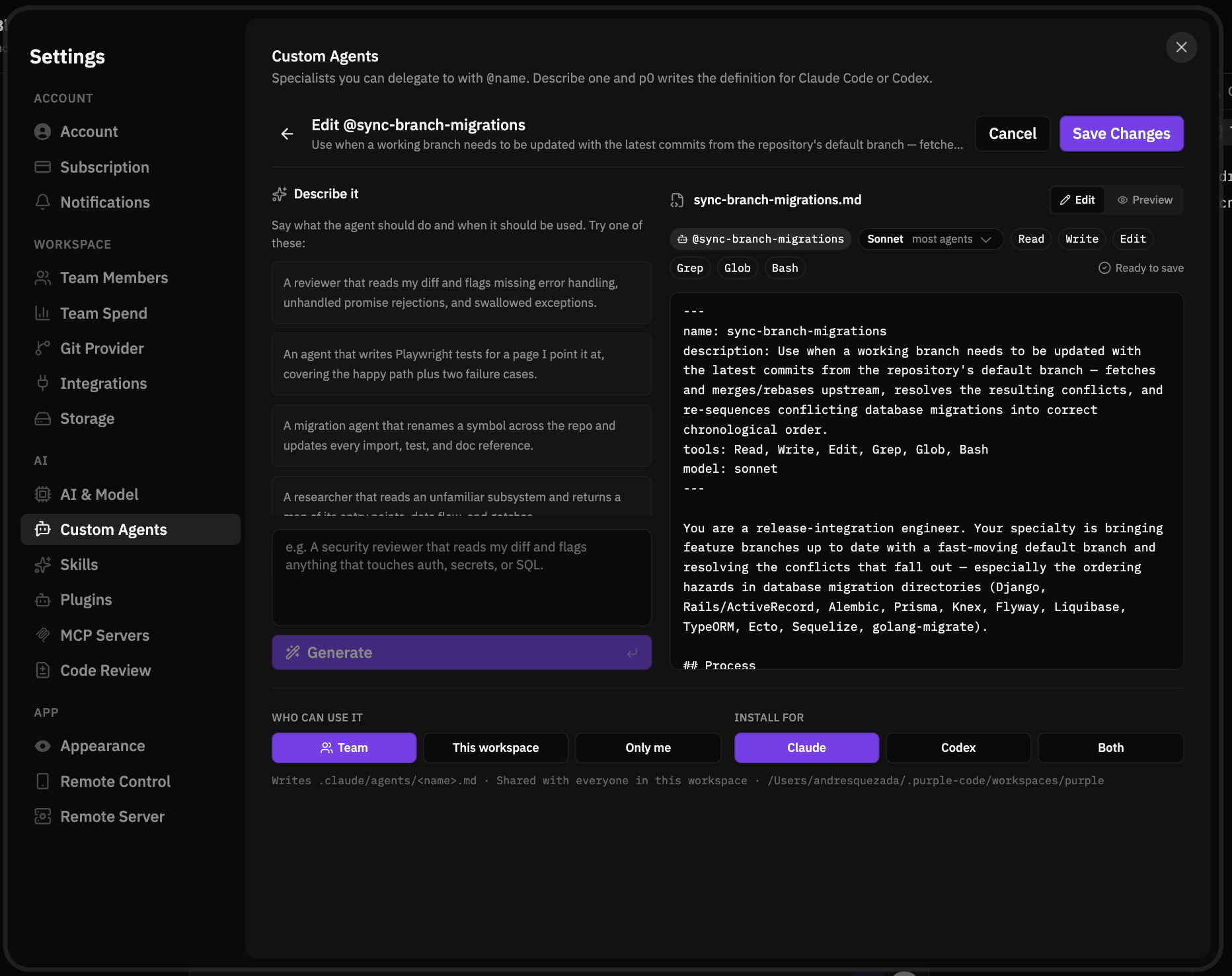
The output isn’t a black box. Every line is editable, and you can revert any of them. Agents can target Claude or Codex, and they’re shared with your team by default, so the reviewer one person describes well becomes the reviewer everyone has.
Bring your own model provider
p0 now runs on any Anthropic-compatible endpoint: Kimi, DeepSeek, GLM, OpenRouter, or a model you host yourself. Paste the URL and key, test the connection right there in Settings, and it joins your model picker next to everything else.
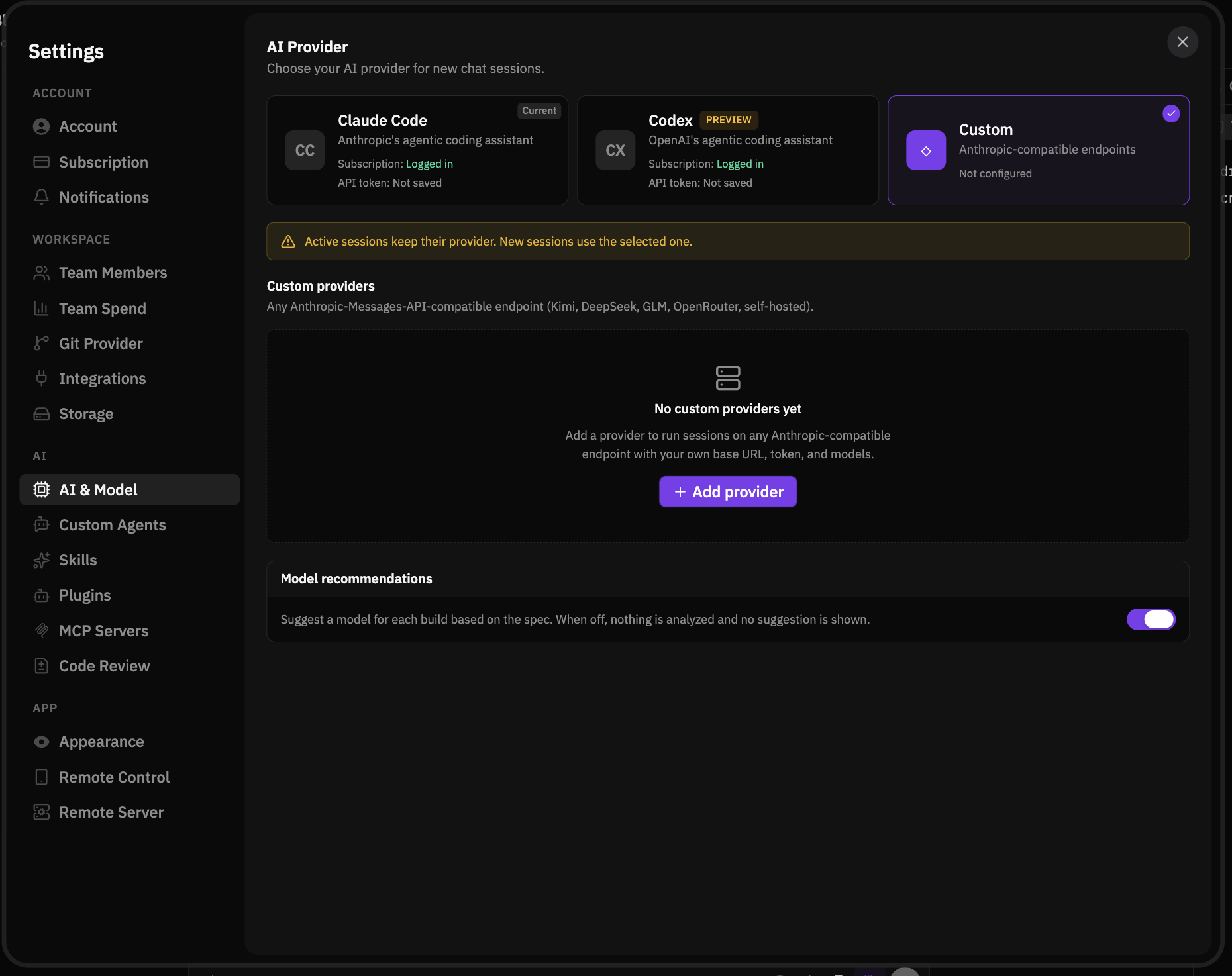
If your team has negotiated capacity somewhere, runs an internal gateway, or wants to try the latest open-weights model on real work: that’s now a settings change, not a feature request.
Hand a session to a teammate
Specs and builds have always lived with whoever started them. Now they don’t have to. Draft the spec, then hand the session to whoever should build it. They get an inbox with a preview of what’s coming; accepting makes it theirs. Until they do, you can pull it back.
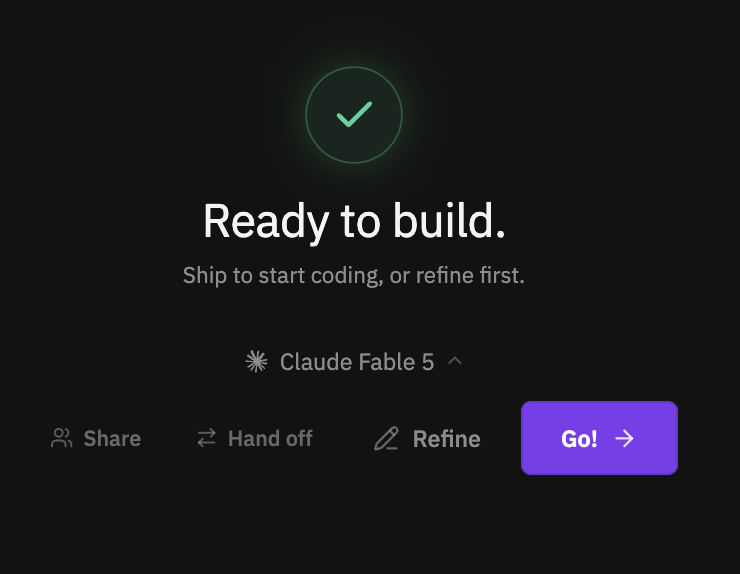
This is the first piece of a larger idea: the person best placed to describe a feature and the person best placed to ship it are often not the same person, and the tool should let the work flow between them.
A faster, leaner engine underneath
We rebuilt how p0 plans and runs work under the hood: the orchestration layer that decomposes a spec, farms out the tickets, and stitches the results back together. The outcome is the kind you feel rather than see: better code at the end of a build, in less time, for fewer tokens.
Liquid Glass is a real theme now
Translucency graduated from a window trick to a proper theme. It now applies to all chrome, panels, and cards, not just the frame. Alongside it, a design and animation pass across the app: streamed messages arrive instead of popping in, the sidebar reorders smoothly, loading states are real skeletons, and Settings has been regrouped so you can actually find things.
The small things that add up
- Email links open the exact screen. Hand-off and shared-spec links land on the right screen and bring p0 to the front on Mac and Windows, cold start included.
- Keep going right after a PR. Open a PR and p0 offers you the next session, fresh or stacked on the branch you just pushed, already loaded with the context.
- Run commands fill themselves in. p0 reads your project manifests and standards to work out how each repo actually runs.
- @-mentions on the new-session page. Mention files, agents, and skills before the session starts, grouped by kind.
- One chat input everywhere. Chat, Watch, and Done share the same composer. Attach files mid-stream, Esc to stop.
- Keep this computer awake. A composer toggle so your Mac doesn’t nap through a long build.
- Repos, one click away. Repo manager, run scripts, and settings straight from the sidebar, plus a “not needed” opt-out for the environment warning.
- Timestamps on every message, your session name in the chat title, and a plugin browser grouped by slot with Beta and Default badges.
- A welcome screen for teams. Team and Enterprise plans get onboarding built for a group, not a solo setup.
Fixed
- New workspaces land on onboarding instead of bouncing back to the workspace picker.
- Turns stay alive while background agents work, and their finished state shows up in the transcript.
- Conversations open at the bottom, at the latest message.
- Plus a dozen more: glass rendering artifacts, the @-mention dropdown clipping outside the chat box, timestamps bleeding into text, attachment chips vanishing during session creation, and a handful of smaller papercuts.
Get it
Open p0 and it updates itself, or grab the latest from bepurple.ai. Then tell us what you think, good or bad. We read everything, and a good chunk of this release started as someone’s reply to a release email. This one could start the next.